Website animations can harm SEO when they rely on JavaScript to render core content instead of enhancing it. If search engines cannot reliably see your text, your pages may struggle to rank or be indexed properly.
Introduction
Animations are everywhere on modern websites. Smooth transitions, fade-ins and scrolling effects have become standard, especially with newer website builders and design frameworks.
When done well, animations improve user experience. When done poorly, they can quietly damage search visibility. The problem is not animation itself, but how content is rendered and when it becomes visible to search engines. Understanding this distinction is critical for any business that relies on organic traffic.
Key Takeaways
- Animations often rely on JavaScript, which can delay or block content rendering.
- Search engines do not always process JavaScript reliably or immediately.
- If text is injected via JavaScript, it may not be indexed properly.
- Different website builders handle animations in very different ways.
- Animations can be used safely if core content loads first.
How Website Animations Are Rendered
To understand the SEO risk, it helps to know how animations typically work.
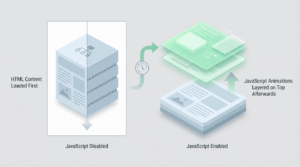
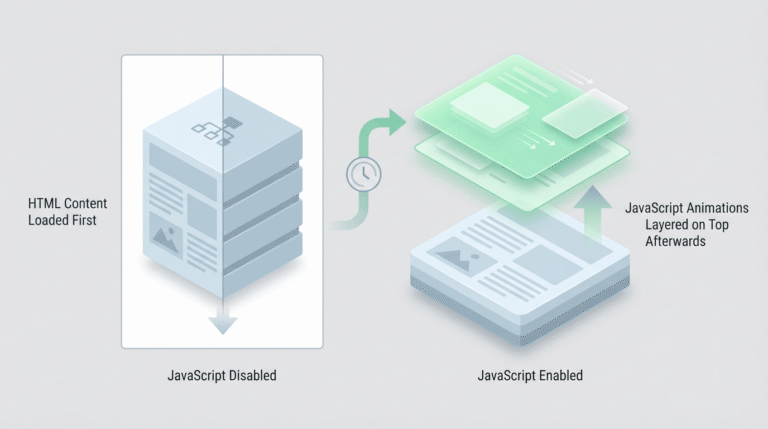
Most website content starts as HTML. This is the raw structure of the page, including headings, paragraphs and links. CSS is then applied to control layout and styling. JavaScript is often layered on top to add interactivity and animation.
Problems arise when JavaScript is responsible not just for animating content, but for creating or injecting the content itself.
HTML and CSS-based animations
Animations created using CSS usually work on content that already exists in the HTML. This means search engines can see the text immediately, even if animations are disabled.
From an SEO perspective, this is generally safe because the content is present regardless of animation behaviour.
JavaScript-rendered animations
Some animations rely on JavaScript frameworks that render text dynamically after the page loads. In these cases, the content may not exist in the initial HTML at all.
If JavaScript fails, loads slowly or is deferred, the content may not appear when search engines first crawl the page.
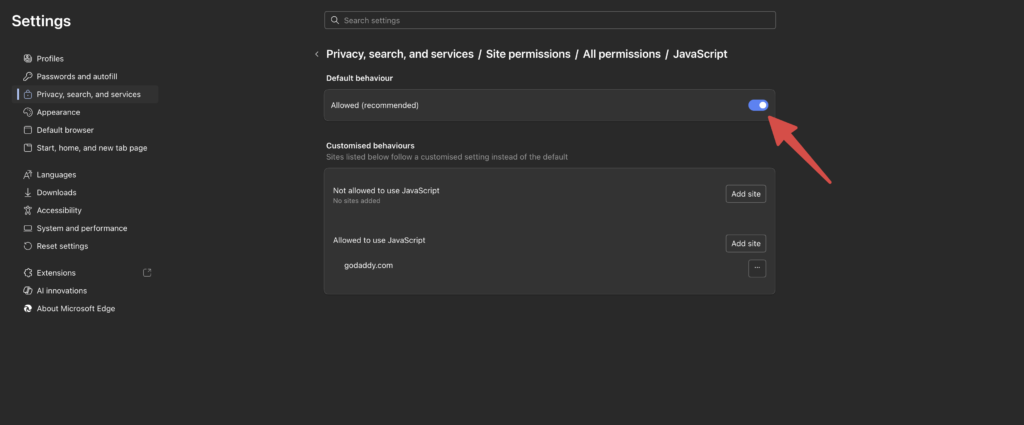
Breakpoint – Simple test:
Disable JavaScript in your browser and reload the page. If text disappears, your content is likely JavaScript-dependent.
How Search Engines Handle JavaScript
Search engines can render JavaScript, but this process is not as straightforward as many people assume.
Rendering is delayed
Search engines typically crawl the HTML first and render JavaScript later. This delay can mean that content is indexed later or inconsistently, especially on large or complex sites.
Rendering is resource-limited
JavaScript rendering consumes resources. Search engines may choose not to fully render every page, particularly on new sites or sites with low authority.
Rendering is not guaranteed
There is no guarantee that JavaScript-rendered content will always be processed correctly. Relying on it introduces unnecessary risk for critical SEO content.
How Different Website Builders Handle Animations
Not all website builders treat animations the same way.
Modern no-code and visual builders
Some newer builders rely heavily on JavaScript frameworks to handle layout, interactions and animations. While this can speed up design, it often means text is rendered dynamically rather than existing in the base HTML.
This approach increases the risk of search engines missing or delaying content indexing.
WordPress and traditional CMS platforms
WordPress and similar platforms typically render content server-side. Text exists in the HTML before any JavaScript runs, with animations layered on top.
This separation makes it easier to animate safely without hiding content from search engines.
Why This Can Kill SEO Over Time
When search engines struggle to see or process content properly, several issues can occur.
- Pages may not rank for their intended keywords.
- Content may be indexed partially or inconsistently.
- New pages may take longer to appear in search results.
- Organic traffic may stagnate without obvious technical errors.
These issues often go unnoticed because the website looks fine to users.
Breakpoint – Common misconception:
If users can see the content, many assume search engines can too. This is not always true.
How to Use Animations Safely
Animations do not need to be avoided entirely. They just need to be implemented correctly.
Ensure core content loads without JavaScript
Your main headings and text should exist in the HTML and be readable even if JavaScript is disabled. Animations should enhance visibility, not create it.
Use animations as enhancements, not dependencies
Animations should trigger after content is loaded, not be required for content to appear. This keeps both users and search engines aligned.
Test regularly
Disabling JavaScript and checking page source are simple ways to verify whether your content is at risk. These checks can quickly reveal structural issues.
Conclusion: Why It Matters
Animations can improve user experience, but they should never come at the cost of visibility.
For businesses that rely on organic traffic, ensuring that content is accessible, indexable and reliable is far more important than visual effects. When animations are layered correctly on top of solid structure, websites can look good and perform well in search.